 by
by How to Use a Fast Charging App on Android Safely
Introduction
Many Android users want their phones to charge faster. A slow-charging phone can be frustrating, especially when you need to leave home quickly. Because of this, many people search for a fast charging app that promises to increase charging speed. But do these apps really work, and how should you use them safely?
The truth is that no app can increase the actual power output of your charger or battery. However, a good fast charging app can help reduce battery usage while charging. It can also close unnecessary background apps, lower screen brightness, and manage some phone settings to make charging more efficient.
In this guide, you will learn what a fast charging app is, how it works, its benefits, limitations, and the best ways to improve your phone’s charging speed safely.
What Is a Fast Charging App?
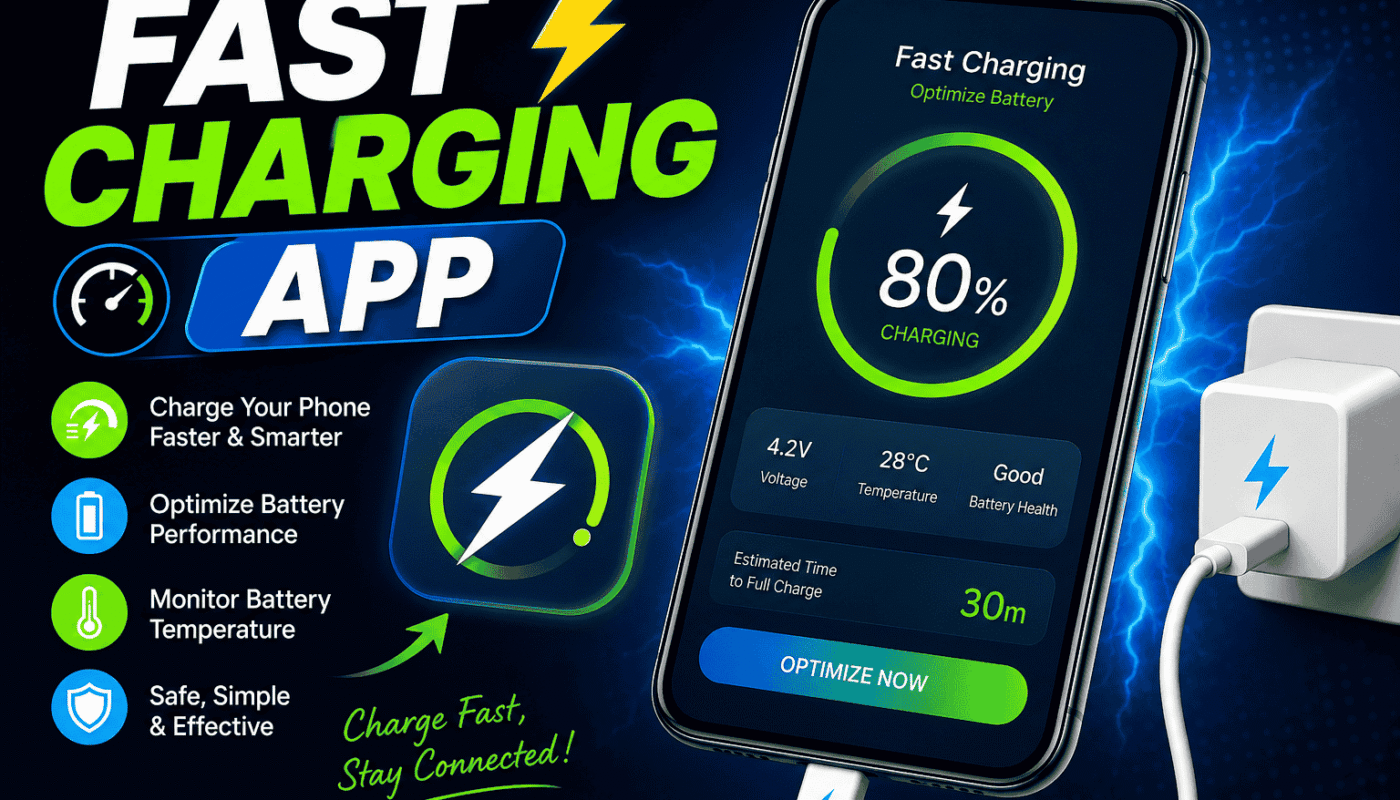
A fast charging app is an Android application that helps reduce battery consumption while your phone is connected to a charger. Instead of increasing the charging voltage, it optimizes your phone by limiting unnecessary background activity.
These apps usually provide features such as:
- Closing background apps.
- Reducing screen brightness.
- Turning off Wi-Fi or Bluetooth if you choose.
- Monitoring battery temperature.
- Displaying charging progress.
While these features cannot create true fast charging, they may help your battery gain charge more efficiently because less power is being used during charging.
Can a Fast Charging App Really Charge Faster?
This is one of the most common questions.
The answer is simple. A fast charging app cannot unlock hidden charging speed or increase your charger’s power. Your phone’s charging speed depends mainly on:
- Your charger.
- The charging cable.
- Your phone’s hardware.
- Battery condition.
- Phone temperature.
If an app claims it can double or triple your charging speed, you should be careful. Such claims are usually misleading.
However, optimization apps can slightly improve the charging experience by reducing unnecessary battery drain while charging.
Benefits of Using a Fast Charging App
Using a reliable fast charging app may offer several helpful features.
1. Reduce Background Activity
Many apps continue running in the background without your knowledge. A fast charging app can close some of these processes temporarily.
2. Battery Monitoring
Some apps display battery temperature, battery health, charging current, and estimated charging time.
3. Easy Battery Management
Users can quickly control settings like Wi-Fi, Bluetooth, GPS, and screen brightness from one place.
4. Better Charging Experience
By reducing battery usage during charging, your phone may reach a full charge a little more efficiently.
Features to Look For
Not every charging app is useful. Before installing one, check for these features:
- Simple and clean interface.
- Battery temperature monitoring.
- Charging progress display.
- Background app management.
- Battery usage information.
- No misleading promises.
- Positive user reviews.
- Regular updates.
Avoid apps that show excessive advertisements or request unnecessary permissions.
How to Use a Fast Charging App
Using one is usually very simple.
Step 1
Download a trusted charging optimization app from the Google Play Store.
Step 2
Open the app and allow only the permissions that are necessary.
Step 3
Connect your charger.
Step 4
Tap the optimization or boost button if available.
Step 5
Leave the phone unused until charging is complete for the best results.
Additional Tips to Charge Your Phone Faster
Besides using a charging app, these practical tips can make a noticeable difference.
Use the Original Charger
Always use the charger that came with your phone or a certified replacement.
Use a Quality Cable
A damaged or low-quality cable can slow charging significantly.
Enable Airplane Mode
Airplane Mode reduces network activity, allowing your battery to charge more efficiently.
Turn Off the Screen
The display is one of the biggest battery consumers. Keeping it off while charging helps.
Avoid Heavy Apps
Gaming, video streaming, and social media apps consume a lot of power.
Keep the Phone Cool
High temperatures reduce charging efficiency. Charge your phone in a cool environment.
Remove Thick Cases
Some phone cases trap heat, which may slow charging.
Keep the Charging Port Clean
Dust inside the charging port may prevent proper charging.
Common Myths About Fast Charging Apps
Many myths exist online.
Myth 1: Apps Can Double Charging Speed
False. No app can change your phone’s charging hardware.
Myth 2: One Tap Instantly Makes Charging Faster
False. Apps only optimize software settings.
Myth 3: All Charging Apps Are Safe
False. Some apps contain too many ads or unnecessary permissions. Always choose trusted applications.

Are Fast Charging Apps Safe?
Most well-known battery optimization apps are safe if downloaded from the Google Play Store.
Before installing any app:
- Read user reviews.
- Check recent updates.
- Avoid unknown sources.
- Never install modified APK files from random websites.
- Review requested permissions carefully.
If an app asks for permissions unrelated to charging, consider choosing another option.
When Should You Avoid Using a Charging App?
You may not need one if:
- Your phone already supports official fast charging.
- Your charger and cable are working properly.
- Your battery health is excellent.
- Your phone includes built-in battery optimization features.
Modern Android devices already include smart charging management, making additional apps less necessary.
Frequently Asked Questions
Does a fast charging app damage the battery?
No. A trusted app simply manages software settings. It cannot force extra power into the battery.
Can it replace a fast charger?
No. Hardware determines actual charging speed.
Do these apps work on every Android phone?
Most optimization apps support many Android devices, but available features vary.
Is it better to charge the phone when it’s switched off?
Yes. Turning the phone off usually results in faster charging because almost no battery power is being used.
Conclusion
Fast charging apps cannot magically increase your phone’s charging power. Their real purpose is to reduce battery consumption while charging and help you manage your device more efficiently. If you combine a trusted optimization app with a quality charger, a good USB cable, and smart charging habits, you can enjoy a smoother charging experience and better battery performance over time.
Always download apps from trusted sources, avoid unrealistic promises, and remember that healthy charging habits matter more than any single application. By following the tips shared in this guide, you can keep your Android phone charging safely and efficiently for the long term.