 by
by How to Install Nokia Launcher on Android (Easy Step-by-Step Guide)
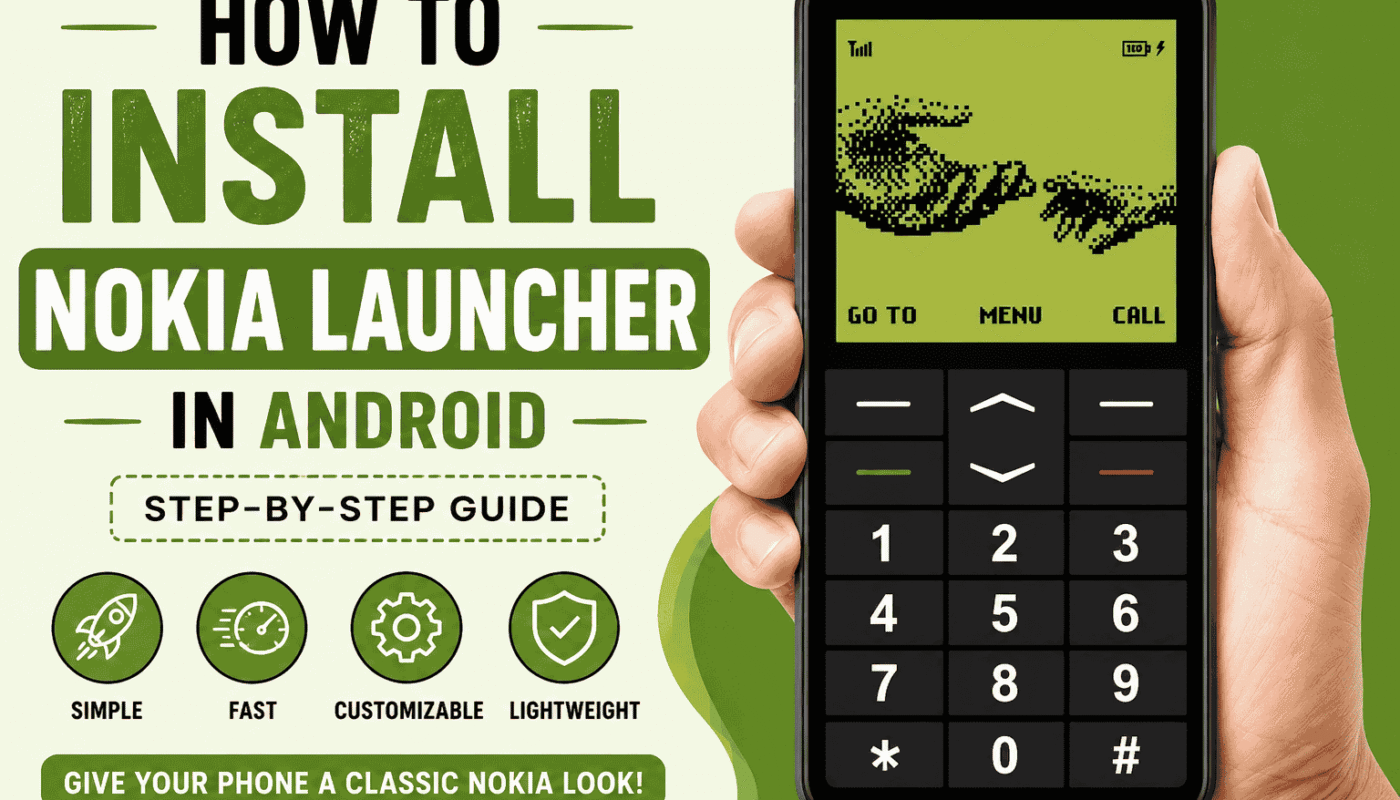
If you want to give your Android phone a clean, simple, and classic look, installing the Nokia Launcher is a great option. Many Android users like the Nokia-style interface because it is lightweight, easy to use, and offers a smooth experience. Whether you have a Samsung, Xiaomi, Vivo, Oppo, Realme, or any other Android phone, you can easily install a Nokia Launcher in just a few minutes.
In this guide, you will learn how to install Nokia Launcher on Android, its features, benefits, and a few important tips before downloading it. This article is written in simple language so everyone can understand it easily.
What Is Nokia Launcher?
Nokia Launcher is an Android launcher that changes the appearance of your phone’s home screen. It gives your device a simple, clean, and organized interface inspired by Nokia smartphones. A launcher does not change your Android version. Instead, it changes how your home screen, app drawer, icons, and widgets look.
Many users install Nokia Launcher because it is fast, easy to use, and does not require a powerful phone.
Why Do People Use Nokia Launcher?
There are many reasons why Android users choose Nokia Launcher.
- Clean and simple design.
- Easy navigation.
- Smooth performance.
- Lightweight app.
- Better home screen organization.
- Customizable icons and wallpapers.
- Supports most Android devices.
If your phone feels slow or you want a fresh look without buying a new device, installing a launcher can be a good idea.
Requirements Before Installing Nokia Launcher
Before you begin, make sure you have the following.
- An Android smartphone.
- Stable internet connection.
- At least 50 MB of free storage.
- Android 6.0 or later is recommended.
- Access to the Google Play Store.
These basic requirements help ensure the launcher works properly.
How to Install Nokia Launcher on Android
Follow these simple steps to install Nokia Launcher on your Android device.
Step 1: Open Google Play Store
Unlock your phone and open the Google Play Store.
Step 2: Search for Nokia Launcher
Tap the search bar and type Nokia Launcher. If the official version is not available, you can choose a trusted launcher that offers a Nokia-style interface.
Always download apps from trusted developers to keep your phone secure.
Step 3: Tap Install
Select the launcher from the search results and tap the Install button.
Wait a few moments while the app downloads and installs automatically.
Step 4: Open the Launcher
After installation is complete, tap Open.
The launcher will ask for a few permissions to work properly.
Step 5: Set It as Your Default Launcher
When prompted, choose Set as Default Launcher.
If the option does not appear automatically, follow these steps.
- Open Settings.
- Go to Apps.
- Select Default Apps.
- Tap Home App.
- Choose Nokia Launcher.
Your phone will now use the new launcher.
Main Features of Nokia Launcher
Nokia Launcher offers several useful features.
Simple Home Screen
The layout is clean and easy to understand. Icons are well organized, making it easier to find apps.
Smooth Performance
The launcher is lightweight and runs smoothly on most Android phones.
Custom Wallpapers
You can apply different wallpapers to personalize your phone.
Icon Customization
Many Nokia-style launchers allow you to change icon packs for a better appearance.
App Drawer
The app drawer keeps all your applications organized in one place.
Widgets Support
You can add clocks, calendars, weather widgets, and other useful tools to your home screen.
Is Nokia Launcher Safe?
If you download it from the Google Play Store or another trusted source, it is generally safe to use.
Avoid downloading APK files from unknown websites because they may contain harmful software.
Always keep your apps updated for better security and performance.
Can Nokia Launcher Speed Up My Phone?
A launcher cannot increase your phone’s hardware performance.
However, a lightweight launcher may make your phone feel smoother because it uses fewer system resources than some heavy launchers.
If your phone is already slow due to storage issues or background apps, you should also clean unnecessary files and restart your device regularly.
Common Problems and Solutions
Launcher Not Installing
Make sure your internet connection is working and you have enough storage space.
Launcher Keeps Crashing
Restart your phone and update the launcher to the latest version.
Cannot Set as Default
Go to your phone settings and manually choose the launcher under Default Apps.
Icons Look Different
Some Android brands apply their own icon styles. You can install a compatible icon pack if needed.
Tips for the Best Experience
- Keep the launcher updated.
- Use simple wallpapers.
- Remove unused widgets.
- Organize apps into folders.
- Clear phone storage regularly.
- Restart your phone occasionally.
These small steps help your phone stay smooth and responsive.
Advantages of Nokia Launcher
There are many benefits to using Nokia Launcher.
- Easy for beginners.
- Simple interface.
- Smooth performance.
- Lightweight design.
- Works on many Android devices.
- Customization options.
- Clean app organization.
Disadvantages
Like every launcher, there are a few limitations.
- Some features may differ depending on the developer.
- Certain premium customization options may require payment.
- It does not upgrade your Android version.
- Some phones may have limited compatibility.
Frequently Asked Questions
Can I uninstall Nokia Launcher later?
Yes. You can uninstall it anytime from your phone settings or the Google Play Store.
Will it delete my apps?
No. Installing or removing a launcher does not delete your installed apps or personal files.
Does Nokia Launcher work on Samsung?
Yes. Most Nokia-style launchers support Samsung, Xiaomi, Vivo, Oppo, Realme, Motorola, OnePlus, and many other Android phones.
Is Nokia Launcher free?
Many Nokia-style launchers are free, while some offer optional premium features.
Final Words
Installing Nokia Launcher on Android is one of the easiest ways to refresh your phone’s appearance without buying a new device. It offers a clean interface, smooth navigation, and useful customization features while remaining lightweight and easy to use.
Always download launchers from trusted sources, keep them updated, and explore the available settings to personalize your device. If you follow the steps in this guide, you can install Nokia Launcher safely and enjoy a simple, classic Android experience.